Friday, November 20, 2026

Friday, November 20, 2026
* All product/brand names, logos, and trademarks are property of their respective owners.
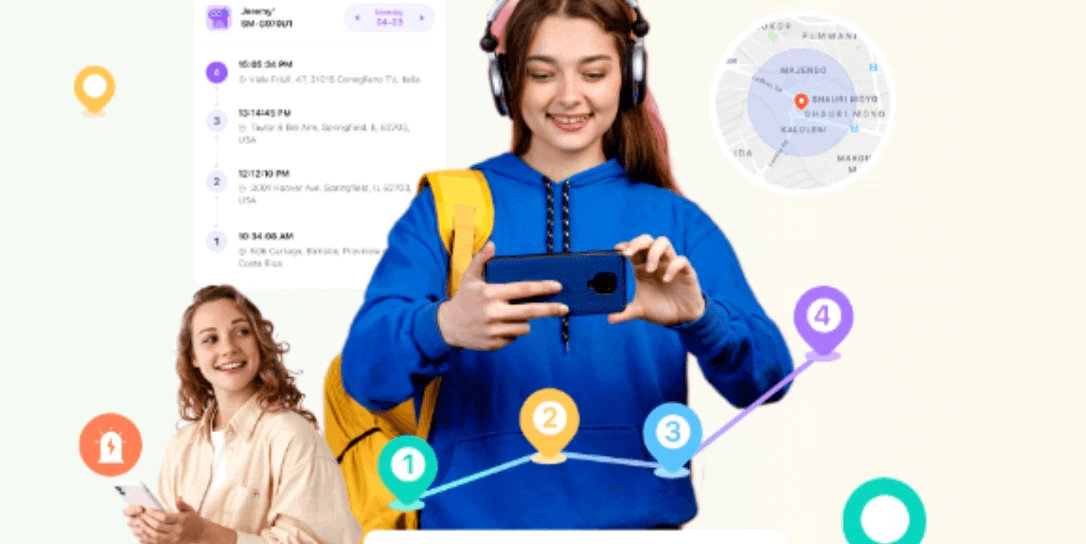
Keeping family members safe is easier when everyone knows where they need to be. Parents may want to know when children arrive at school, return home, or reach an after-school activity. However, checking a location map throughout the day can become tiring. Creating multiple safe zones can make location monitoring more convenient. These zones allow families to define important places and receive notifications when a connected device enters or leaves them.
With geofencing technology, parents can create virtual boundaries around homes, schools, workplaces, and other frequently visited locations. Apps such as FonSee, TheOneSpy, and Life360 offer location-related tools that can help families stay connected.
Let's look at how to create multiple safe zones and use them effectively.
A safe zone is a virtual boundary around a physical location. It is created using GPS and other location services. For example, parents can create a safe zone around their child's school. When the child's connected phone enters or leaves that area, the app may send a notification.
Families can create several zones for different locations. These may include:
This approach helps parents stay informed about important movements without constantly checking live location updates.
Every family member has a different daily routine. Children attend school, teenagers visit friends, and parents travel between home and work. Using multiple safe zones makes it easier to manage these activities.
These alerts are useful indicators, but they should complement regular communication and agreed family safety arrangements.
Setting up safe zones is generally straightforward. The exact steps depend on the app and Android device.
Start by selecting an app that supports location sharing and geofencing. FonSee and TheOneSpy offer GPS and geofencing-related features as part of broader monitoring solutions. Life360 is another option for families interested in location sharing and place-based notifications.
Compare their features, device compatibility, pricing, and privacy policies before choosing one.
Make sure location services are enabled on the relevant Android devices. The app may also require permission to access location information in the background. Without the necessary permissions, location updates and notifications may be delayed or unavailable.
Check the phone's battery optimization settings as well. Some Android devices restrict background activity to save power.
Open the selected app and look for its location, geofencing, or places section. Select the option to add a location. Enter an address or choose a point on the map.
For example, you can add your home address first. Then create another location for your child's school.
Repeat the process for other important places.
After selecting a location, adjust the virtual boundary if the app allows it. A school may need a larger boundary than a small home or meeting point.
Avoid making zones unnecessarily small. GPS accuracy can fluctuate because of buildings, network conditions, and signal strength.
Enable Arrival and Departure Notifications
Choose which events should trigger alerts. You may want to receive notifications when a child's device enters the school zone or leaves home.
You can also configure alerts for other family locations, depending on the app's available features.
Before relying on the alerts, test each location. Check whether notifications arrive at the expected time. If they are delayed, review location permissions, internet connectivity, and battery settings.
Testing helps identify problems before they affect your family's daily routine.
Best Apps for Creating Multiple Family Safe Zones
TheOneSpy offers GPS tracking, location history, and geofencing functionality as part of its wider device monitoring platform.
Parents can use its location-related tools to understand device movements and manage location-based safety routines.
It also offers additional monitoring and parental control features across supported operating systems. Families should review device compatibility and available features before selecting a plan.
FonSee is a parental monitoring solution that includes GPS tracking, location history, and geofencing-related features.
Parents can use its location tools to stay informed about important movements involving managed devices. It also provides other parental monitoring features related to calls, messages, apps, and website activity, depending on device compatibility and permissions.
This makes FonSee worth considering for families that want location awareness alongside broader digital safety tools.
Life360 focuses on family location sharing and coordination.
Its place-based notifications can help family members stay informed when someone arrives at or leaves a designated location.
For example, parents can create places for home and school. This can make everyday family routines easier to manage without repeatedly checking a map.
Creating zones is only the first step. Managing them properly is equally important.
Creating multiple safe zones can make family location monitoring more practical. Parents can set boundaries around schools, homes, workplaces, and other important locations. Notifications can then provide useful updates when connected devices enter or leave these areas. Apps such as FonSee, TheOneSpy, and Life360 offer different approaches to location awareness and family safety. The right choice depends on your family's needs, preferred features, and device compatibility. If you want location monitoring alongside broader parental control tools, FonSee is worth exploring. Its GPS and geofencing-related features can help parents manage location awareness as part of a wider digital safety routine.
The goal is not to track every movement. It is to help family members stay connected, encourage responsible habits, and make everyday routines safer.

When people search online for a product or service, they rarely make a decision after reading just o
18 November 2026
Choosing between the Financial Modeling & Valuation Analyst (FMVA) certification and the Charter
6 November 2026
Artificial intelligence is becoming an important part of how businesses process information, underst
23 October 2026
Be the first to share your thoughts
No comments yet. Be the first to comment!
Share your thoughts and join the discussion below.